Track an item and get alerts
Tracking an item sends you a notification when its price goes above or below your targets, or when its margin is big enough. This guide sets up an alert on the Rune platebody for when it drops below 38K, then shows how to read, edit and remove alerts.
You need: to be logged in. Alerts are sent by the Flopper bot on the Flipping Utilities Discord, and also listed under the bell at the top right of the site.
Open the Track page#
Click the eye icon in the top bar to open Track, then click Track new item to unfold the form.
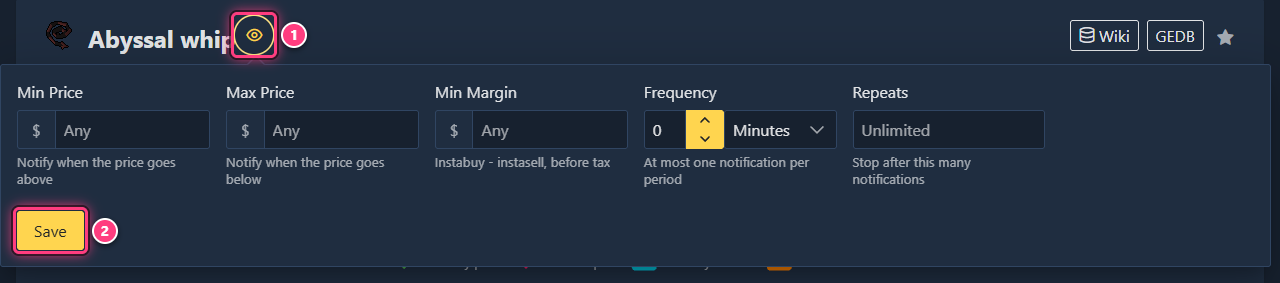
Shortcut from an item page: click the eye next to the item's name (tooltip Track this item). You get the same form, with the item already picked.
Fill in the form#
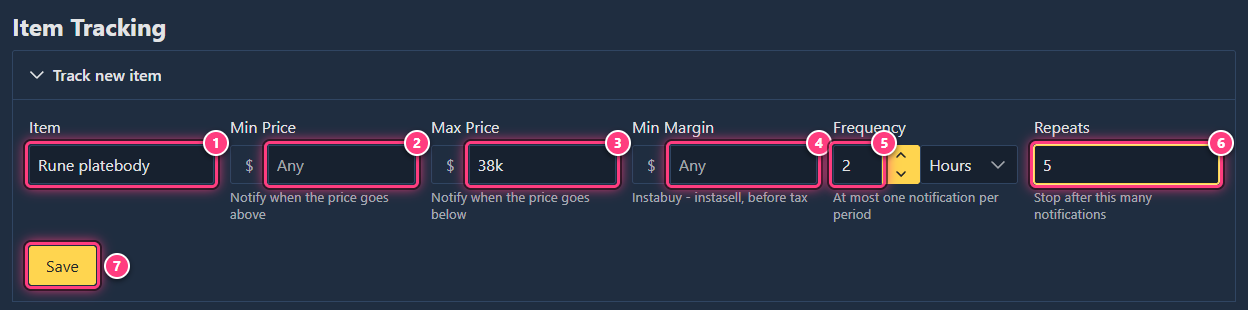
| # | Field | What it does |
|---|---|---|
| 1 | Item | Type a few letters and pick the item in the list. Not shown when you come from an item page. |
| 2 | Min Price | Notify when the price goes above this value. |
| 3 | Max Price | Notify when the price goes below this value. |
| 4 | Min Margin | Notify when the margin (instabuy - instasell, before tax) is at least this value. |
| 5 | Frequency | At most one notification per period: a number and Minutes, Hours or Days. |
| 6 | Repeats | Stop after this many notifications. Empty means Unlimited. |
| 7 | Save | Starts tracking. |
Fill at least one of Min Price, Max Price or Min Margin. Prices accept 38k, 1.5m and so on. Set
both min and max to be told when the price leaves a range (the min must be lower than or equal to the max).
For the example: item Rune platebody, Max Price 38k, Frequency 2 Hours, Repeats 5.
Save#
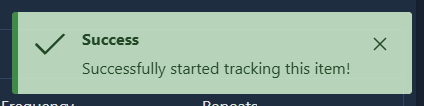
Click Save. "Successfully started tracking this item!" confirms it, and the item appears under Tracked Items.
If something is missing, a warning tells you what: "Missing condition" (no price or margin set), "Invalid price range" (min above max) or "Invalid item" (no item picked from the list).
Check your tracked items#
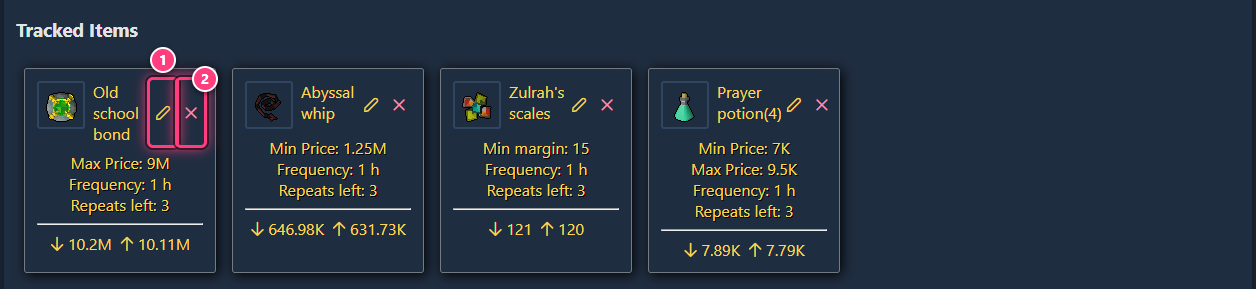
Every alert is a card on the Track page, with its conditions and the item's current prices (arrow down: instabuy, arrow up: instasell). The item page shows the same card under Tracking information.
Read your notifications#
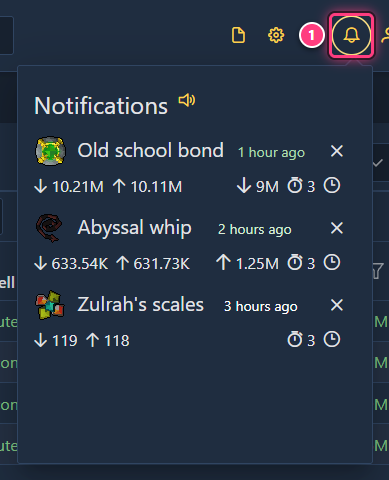
When a condition is met, the Flopper bot messages you on Discord and the bell at the top right of the site gets a red counter (the site checks every minute, and plays a sound unless you turn it off). Click the bell to see them.
Edit an alert#
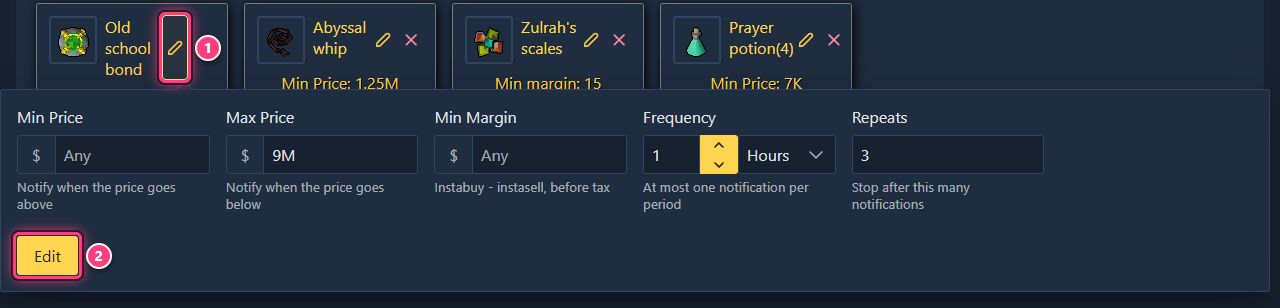
Click the pencil on its card. The same form opens with the current values: change them and click Edit ("Successfully edited this item tracking!"). The item itself can't be changed: remove the alert and create a new one.
Remove an alert#
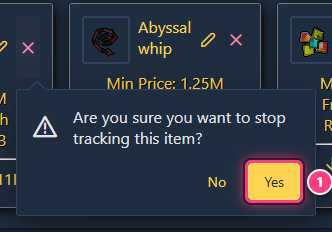
Click the x on its card and confirm with Yes ("Successfully stopped tracking this item!"). Alerts also stop by themselves once their repeats run out.
Troubleshooting#
"You must log in to track items!" Log in with the Account icon, see accounts and sign-in.
The eye on an item page only shows "Log in to track items". Same: you're not logged in.
I get no Discord message. The bot needs to be able to message you: stay on the Flipping Utilities Discord server and allow direct messages from its members. The bell on the site lists the notifications either way.
I get too many notifications. Raise the Frequency (for example 1 Hours) or set Repeats.
Next steps#
- Item tracking and notifications: the feature pages.
- Set up offer notifications for your own Grand Exchange offers.
- Discord