Use the profit calculator
The profit calculator answers "if I buy at X and sell at Y, how much do I make?", with the Grand Exchange tax taken off. This guide runs a calculation by hand, then with an item's live prices, and shares it.
You need: nothing. The calculator works without an account.
Open the calculator#
Click the wrench icon in the top bar (Tools) and choose Profit Calculator, or go to /tools/profit-calculator.
Enter the prices and quantity#
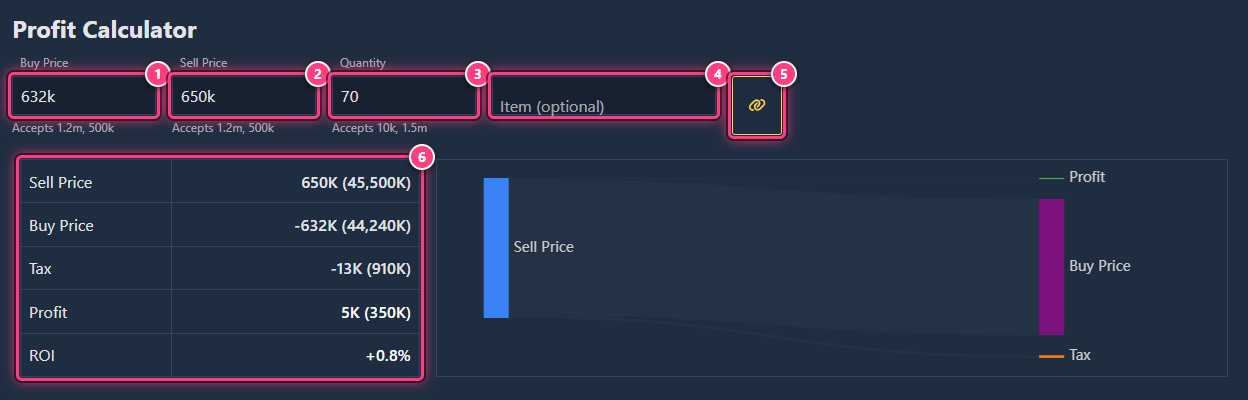
Type your Buy Price (per item), your Sell Price (per item) and the Quantity. Shortcuts work: 632k,
1.2m, 10k. A field you can't read turns red with "Invalid price." or "Invalid quantity.".
Read the results#
The table updates as you type:
| Line | Meaning |
|---|---|
| Sell Price | What the buyers pay you |
| Buy Price | What you pay |
| Tax | The Grand Exchange tax, taken from the sell price. Items exempt from tax show 0 and an (i) |
| Profit (or Loss) | Sell price - buy price - tax |
| ROI | Profit divided by what you paid |
With a quantity above 1, each line shows the amount per item, then the total in brackets. The chart on the right shows the same split: the sell price going to your buy price, the tax and your profit.
Use an item's live prices#
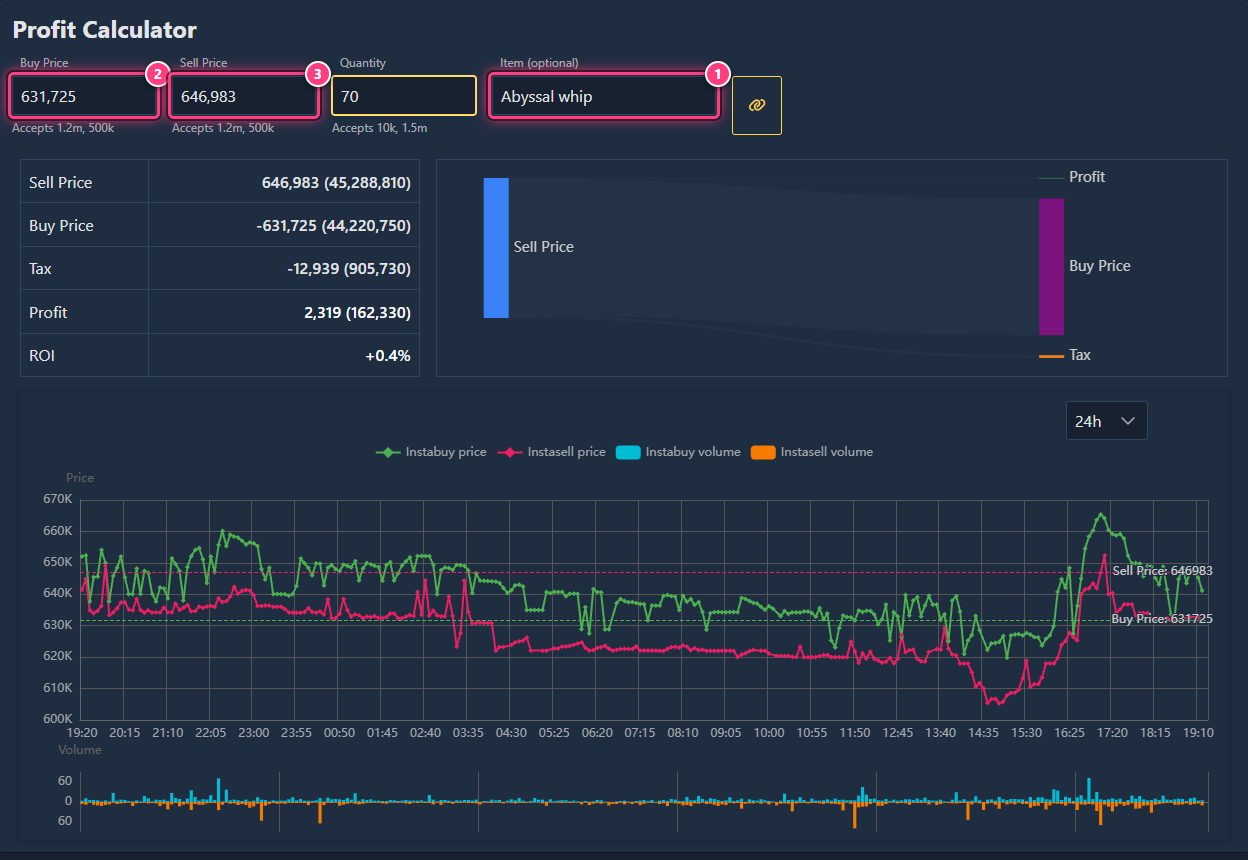
Type an item in Item (optional) and pick it in the list. The calculator fills Buy Price with its current instasell price and Sell Price with its current instabuy price (the price you can typically buy and sell at), applies that item's tax rules, and shows its price chart with your buy and sell prices drawn as lines. Change the prices to try other offers.
Share it#
Click the link icon (Share calculation): "Link copied!" confirms the link is in your clipboard. The page address also updates as you type, so you can bookmark it. Opening the link fills the calculator with the same numbers.
From an item page#
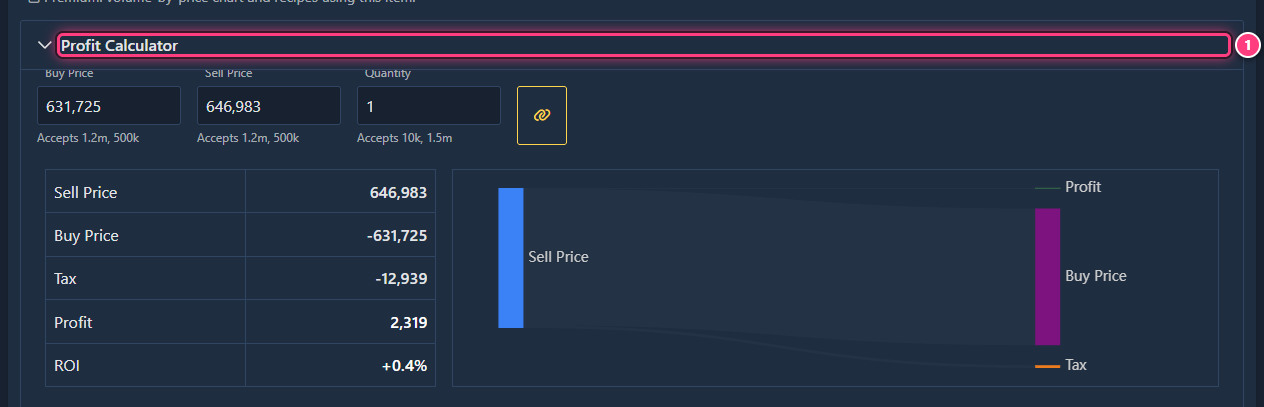
Every item page has a Profit Calculator section at the bottom: click it to unfold. It starts with the item's live prices and a quantity of 1; there's no item box since the item is already known.
Troubleshooting#
The tax is 0. Some items are exempt from the Grand Exchange tax, and very cheap sales aren't taxed: the (i) next to the tax tells you when an item is exempt.
"Couldn't get data for the item!" The item has no price right now. Type the prices by hand.
"Couldn't copy link." Your browser blocked the clipboard: copy the address from the address bar instead.
Next steps#
- Tools: the feature page.
- Find your first flip
- Log and edit flips once you've bought.