Connect RuneLite and see your slots
The Slots page shows the 8 Grand Exchange slots of each of your RuneScape accounts, live, from any browser or phone, compared with the current prices. The offers come from the Flipping Utilities RuneLite plugin. This guide installs the plugin, logs it and the site in with the same token, and reads the result.
You need: RuneLite, and a login token from the Flopper bot on the
Flipping Utilities Discord (see accounts and
sign-in; the /login command is for premium members, trial included).
Get your token#
On the Flipping Utilities Discord, type /login in a bot channel. The Flopper bot answers with your token, a code
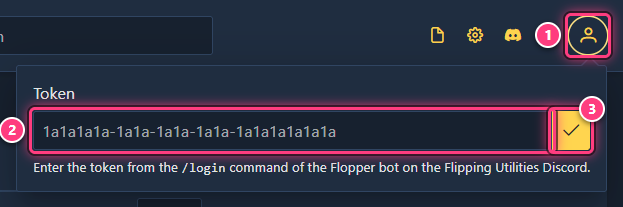
like 1a1a1a1a-1a1a-1a1a-1a1a-1a1a1a1a1a1a, visible only to you. Keep it private: it logs into your account.
Install the plugin#
In RuneLite, open the Plugin Hub (wrench icon of the sidebar, then Plugin Hub), search Flipping Utilities and click Install. Its icon appears in the RuneLite sidebar: click it to open the plugin panel.
Log the plugin in#
In the plugin panel, click the profile icon at the top (tooltip Click to login!). Paste your token in the TOKEN box and click Log in, then accept the warning about sending data to a third party with Yes. The plugin shows "Logged in successfully." and a status screen.
Log the site in#
On the site, click the Account icon (top right), paste the same token and click the check mark.
Log into the game#
Log into Old School RuneScape with RuneLite. The plugin registers the account and starts sending its offers: they show up on Slots (the grid icon in the top bar) within a minute. In the plugin, Slot sending feature: Active means it works.
Read your slots#
Each RuneScape account you play with the plugin has its own row: click it to open or close it. Each card is one Grand Exchange slot.
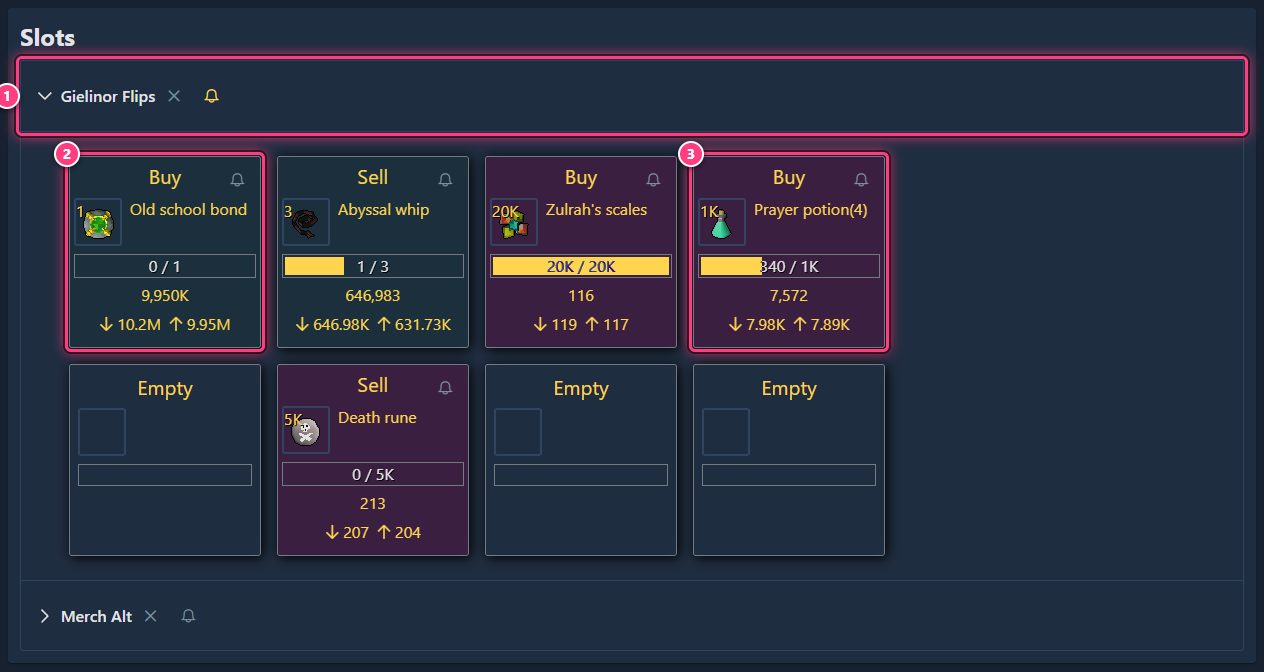
On each card, from top to bottom: Buy or Sell and the slot's notification bell; the item and quantity; a progress bar with how many have been bought or sold; your offer price (hover it for the exact number); the item's current instabuy (arrow down) and instasell (arrow up) prices.
The card's tint compares your offer with those prices:
| Tint | Buy offer | Sell offer | Meaning |
|---|---|---|---|
| Green | at or above instabuy | at or below instasell | Better than the market: should fill right away |
| Blue | between instasell and instabuy | between instasell and instabuy | In range: fills as trades happen |
| Purple | below instasell | above instabuy | Out of range: unlikely to fill until prices move |
The page refreshes every minute. An empty slot says Empty.
Troubleshooting#
"Log in to see your live Grand Exchange offers here." The site isn't logged in in this browser: use the Account icon.
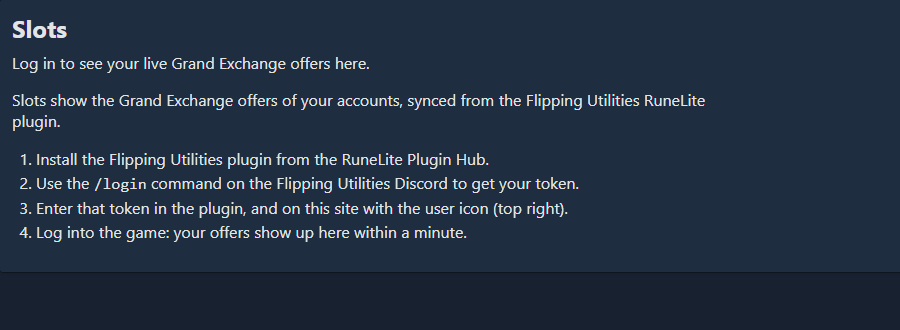
"No accounts synced yet - install the plugin and log in." The site is logged in, but nothing came from the plugin. Check the plugin is logged in with the same token, then log into the game.
"Invalid token!" in the Account panel: the token was mistyped or is for another Discord account. Copy it again from the bot's answer.
My slots don't update. Look at Slot sending feature in the plugin: Inactive (not logged in) means the plugin isn't logged in; Inactive (error on slot update) usually fixes itself, otherwise sign out of the plugin and back in. The page itself updates every minute.
Next steps#
- Set up offer notifications: get a Discord message when an offer fills or goes out of range.
- Connecting the plugin and RuneLite plugin
- Slots: the feature page.