Accounts and sign-in
You don't need an account to browse prices. Logging in links the site to your Flipping Utilities account, the same one the RuneLite plugin and the Discord bot use, so you can see your Grand Exchange offers and price alerts.
There is no password and no sign-up form: your account is your Discord account, and you log in with a token that the Flopper bot gives you on Discord.
What an account unlocks#
| Without logging in | Logged in | Logged in with premium |
|---|---|---|
| Prices, presets, columns, item pages, favorites, profit calculator, games, settings backups | Everything on the left, plus: slots (your live GE offers) | Everything on the left, plus: recipes, custom columns, trend and sparkline columns, portfolio... |
| Item tracking for up to 5 items | Unlimited item tracking | |
| The notifications bell |
The full list is on the premium page.
Log in#
Join the Discord#
Join the Flipping Utilities Discord with the Discord account you want to use. Your premium status and your data are tied to that Discord account.
Get your token#
Type /login in a bot channel of the Discord server and send it. The Flopper bot answers with a
message only you can see, titled Plugin login code, containing your token:
a code like 1a1a1a1a-1a1a-1a1a-1a1a-1a1a1a1a1a1a. Copy it.
Enter it on the site#
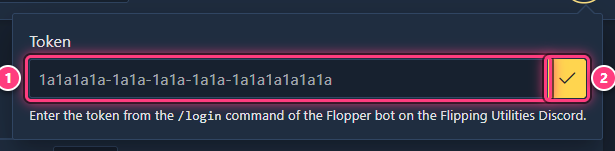
Click the Account icon (the person, top right of the top bar). Paste the token in Token (1) and click the check mark (2).
Check that it worked#
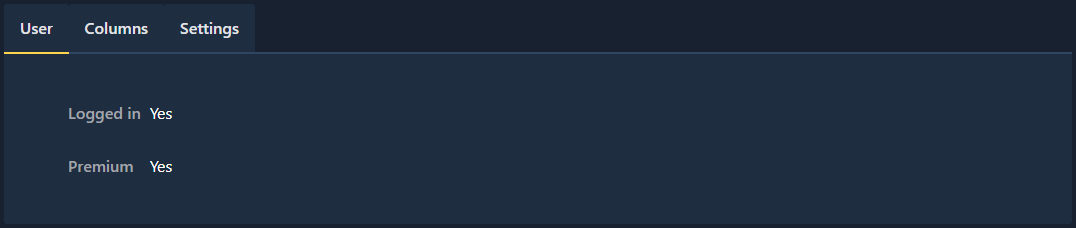
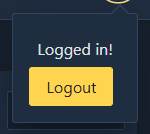
Click the Account icon again: it now says Logged in!. The User tab of Settings shows whether you're logged in and whether your account is premium.
The site remembers your token in this browser and logs you back in on every
visit. On another browser or device, enter the same token again: running
/login again gives you the same token.
If the token is wrong, the popup says Invalid token!. Copy it again from Discord, without spaces, and retry.
What's saved where#
Your account (on the server) holds your premium status, your RuneScape accounts and their slots, and your tracked items and their notifications.
Everything else is saved in your browser only, even when you're logged in: favorites, presets, column layouts, custom columns, the portfolio, custom and favorite recipes. It is not synced between devices: move it with Export and Import in settings, see back up and restore settings. Clearing your browser data erases it.
Premium pages when you're not premium#
Premium pages tell you what you need instead of showing their content.
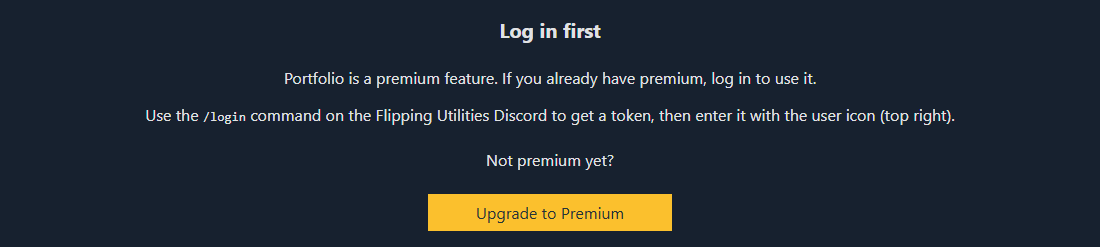

Just subscribed? Your premium status is checked when the page loads: wait a few minutes, then reload. See premium.
Log out#
Click the Account icon, then Logout. This forgets the token in this browser only. Your account, slots and tracked items stay on the server, and the data saved in your browser (favorites, portfolio...) stays too.
Related#
- Connecting the plugin: the same token links RuneLite.
- Premium
- FAQ: account and privacy