Your first visit
Open prices.osrs.cloud. No sign-up, no download: the home page is a live table of Grand Exchange items, ready to sort and filter. This page walks you through it.
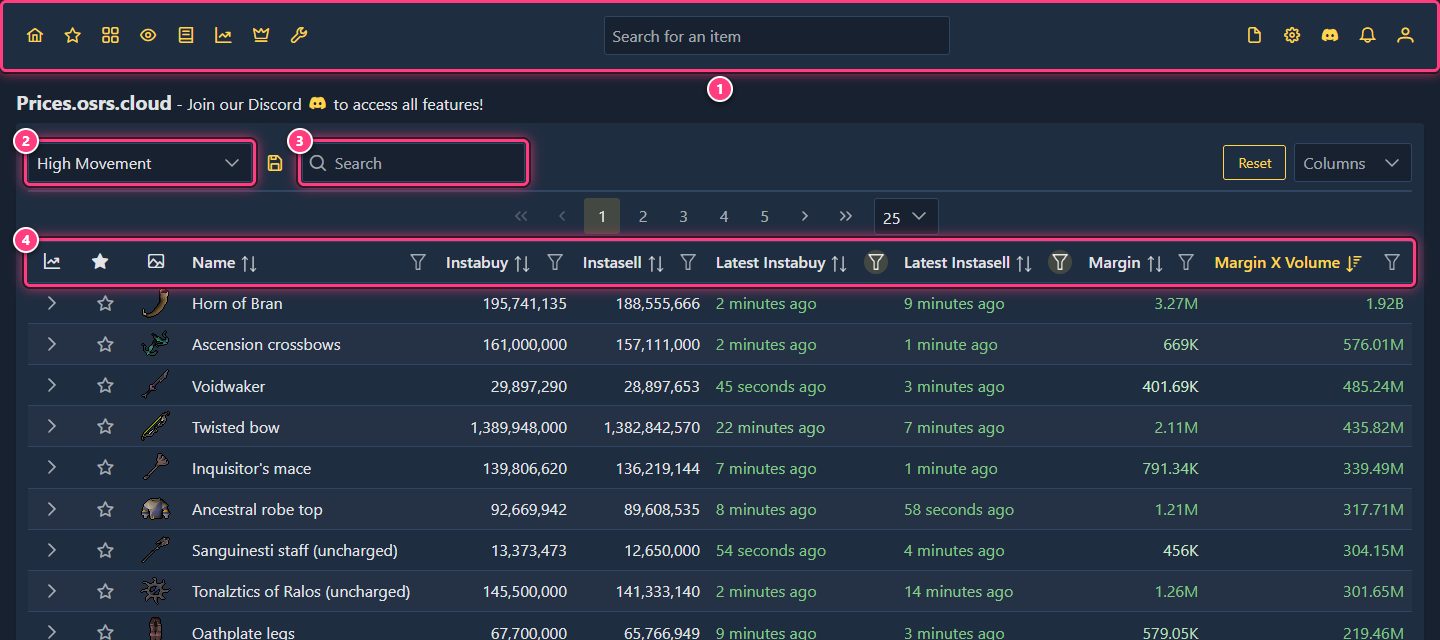
- The top bar is on every page: links to every section, the item search and your account. Navigating the site explains each button.
- The preset dropdown switches between ready-made views of the table. The site opens on High Movement: items traded at least 200 times a day, with both an instabuy and an instasell in the last hour, sorted by Margin x Volume. The other defaults are All Items, High Value, High Volume, High ROI and High Margin. Your own saved presets show up under Custom (build and save a preset).
- The table search filters the rows of the table by name.
- The column headers sort (click the name; Ctrl-click, or Cmd-click on a Mac, to sort on several columns) and filter (the funnel icon). The Columns dropdown on the right adds or removes columns, and Reset clears the sort and filters (Sort + Filters) or also restores the default columns and page size (Everything). All about it: items page and table columns.
Prices refresh on their own every minute while the tab is open; there is no need to reload the page.
Reading a row#
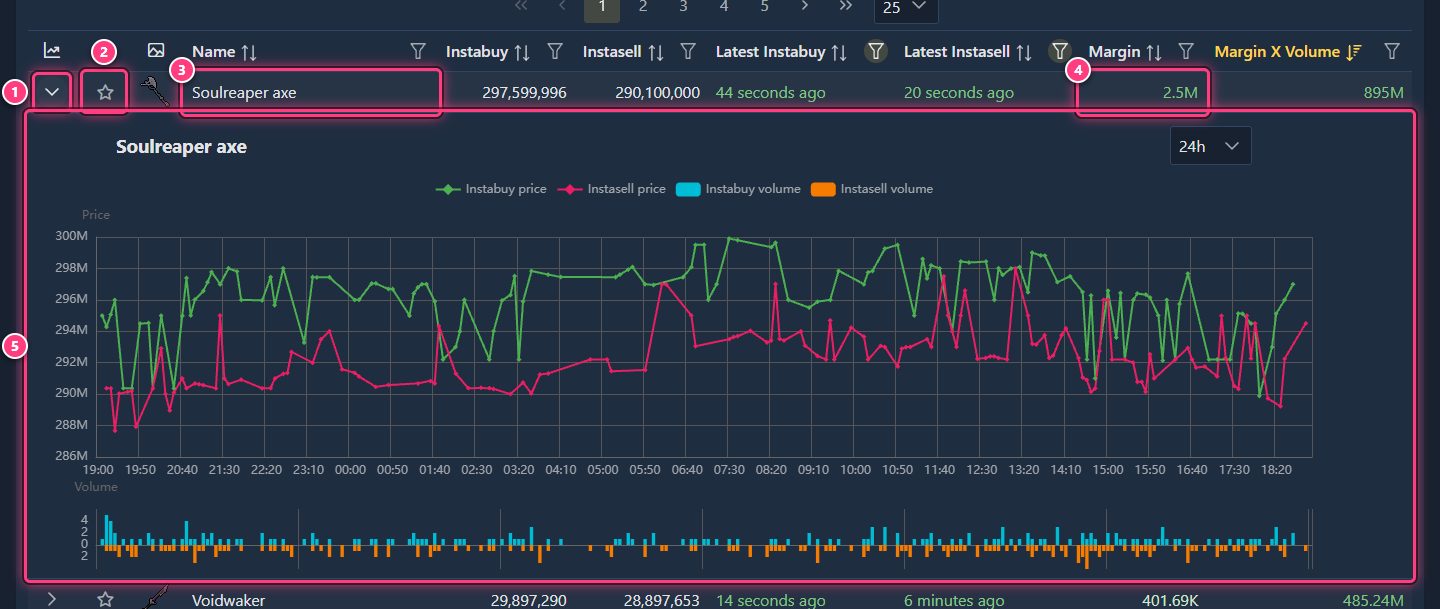
- The arrow opens a price chart right in the table, without leaving the page.
- The star adds the item to one of your favorites lists. It's filled when the item is in at least one list.
- The name links to the item page, with a bigger chart and every detail.
- Margin is what you'd make per item buying at the instasell price and selling at the instabuy price, after the Grand Exchange tax. See the FAQ for the exact formula.
- The chart shows the instabuy (green) and instasell (red) prices with the traded volume below. Change the range (24h by default, up to the full history) in the dropdown at its top right, and zoom with the mouse wheel.
The main columns of the default view:
| Column | Meaning |
|---|---|
| Instabuy | Latest price someone paid buying instantly: roughly what you can sell at. |
| Instasell | Latest price someone got selling instantly: roughly what you can buy at. |
| Latest Instabuy / Latest Instasell | How long ago those trades happened. Old trades mean an unreliable margin. |
| Margin | Instabuy - instasell - tax. |
| Margin X Volume | Margin multiplied by the daily volume: a rough measure of the opportunity. |
Opening an item#
Click any item name, or type a name in Search for an item in the top bar and pick a result. The item page shows the latest prices and their age, the daily volume, margin and ROI, potential profit, buy limit, alch values, a large chart, a profit calculator and links to the OSRS Wiki and the official Grand Exchange database.
Next steps#
- Navigating the site: every button of the top bar.
- Find your first flip: a guided first flip.
- Accounts and sign-in: what logging in adds.