Connecting the plugin
The Flipping Utilities RuneLite plugin tracks your flips in the game. Logged in with the same token as the site, it also sends your current Grand Exchange offers to your account, and the Slots page shows them live, from any browser or phone.
You need:
- RuneLite, the third-party Old School RuneScape client.
- Your login token from the Flopper bot (see accounts and
sign-in; the
/logincommand needs premium).
What syncs, and what doesn't#
| Synced to your account | Stays in the plugin, on your computer |
|---|---|
| Your RuneScape account names (one entry per account you log into) | Your trade history, flips and statistics |
| The 8 Grand Exchange slots of each account: item, buy or sell, price, quantity, progress | The plugin's settings |
The plugin sends a slot whenever it changes in the game. The site's
Slots page and the Flopper bot's /slots command read them, and the
bot can message you on Discord when an offer is filled, in range or out of
range compared to the live prices (see slots).
The site's own data (favorites, portfolio...) does not come from the plugin: it is saved in your browser.
Link the plugin#
Install the plugin#
In RuneLite, open the Plugin Hub (the wrench icon of the sidebar, then the Plugin Hub button), search for Flipping Utilities and click Install. A Flipping Utilities icon appears in the RuneLite sidebar: click it to open the plugin panel.
Get your token#
On the Flipping Utilities Discord, type /login
in a bot channel. The Flopper bot answers with your token, visible only to you.
It's the same token you use on the site.
Log in in the plugin#
In the plugin panel, click the profile icon at the top (its tooltip says
Click to login!). The login screen lists the same three steps: join our
discord, type /login in the bot channel, enter the token here. Paste the
token, submit it, and answer Yes to the warning.
Log in on the site#
If you haven't yet, click the Account icon (top right of the site), paste the same token and click the check mark. See log in.
Log into the game#
Log into Old School RuneScape with RuneLite. The plugin registers your account name and starts sending your slots: they show up on Slots within a minute. The plugin's status screen shows Slot sending feature: Active when it works.
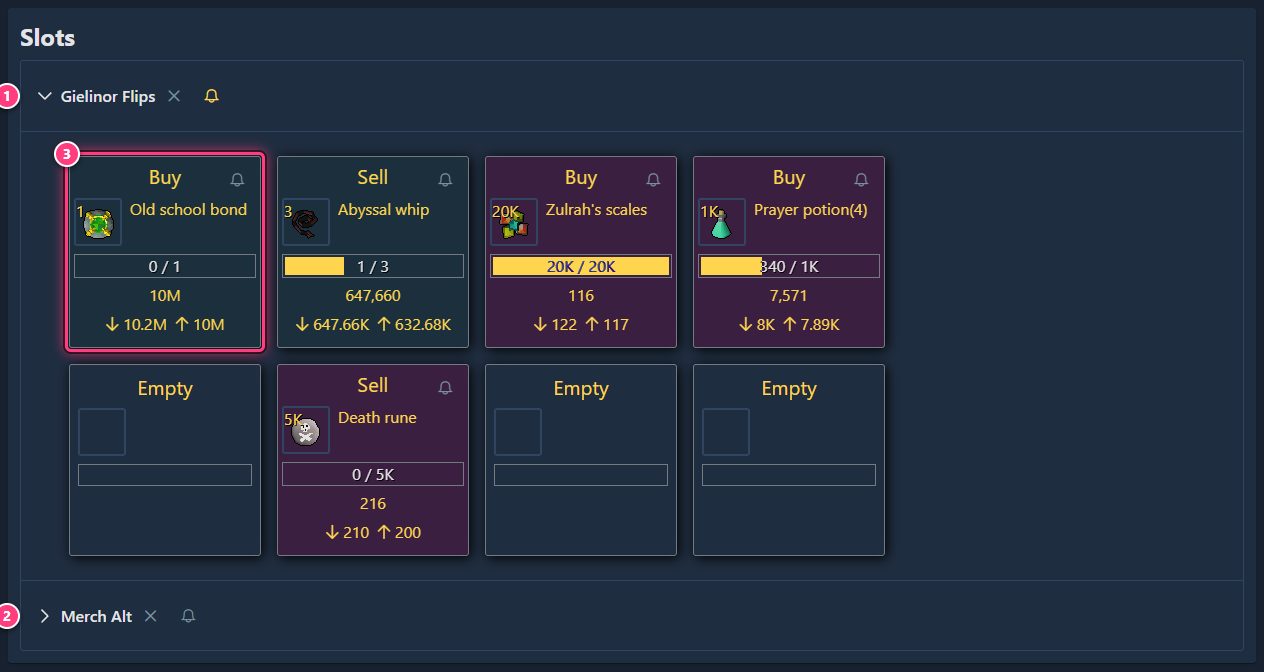
Each RuneScape account you play with the plugin gets its own row; open several at once to compare. The x next to an account name removes that account and its slots from your Flipping Utilities account; the bell sets up its Discord notifications. Everything about this page: slots.
Troubleshooting#
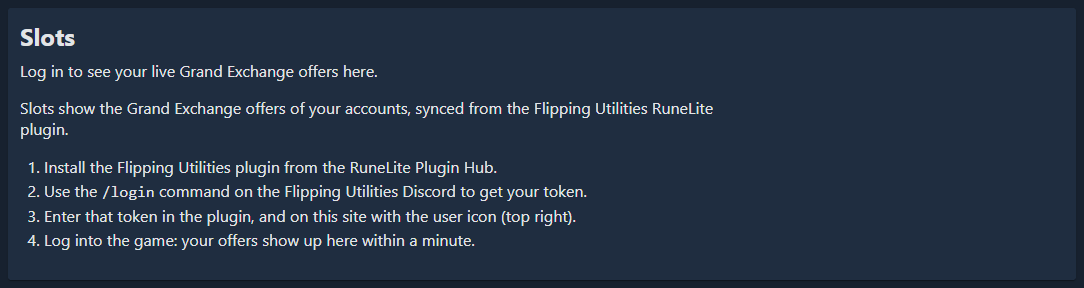
The Slots page says "Log in to see your live Grand Exchange offers here." You're not logged in on the site, in this browser. Log in with the Account icon.
The Slots page says "No accounts synced yet". The site is logged in but the plugin hasn't sent anything. Check that the plugin is logged in with the same token (the plugin's status screen), then log into the game with RuneLite.
My slots don't update. Look at Slot sending feature in the plugin's status screen: Inactive (not logged in) means the plugin needs your token; Inactive (error on slot update) usually fixes itself, otherwise sign out and back in. If it still doesn't work, ask on the Discord.
I used two Discord accounts. The plugin and the site must use the token of the same Discord account, or the slots go to an account the site isn't showing.
Related#
- Connect RuneLite and see your slots: the guide version.
- Slots
- RuneLite plugin
- Accounts and sign-in