Make a custom recipe
The site's recipes cover common processing methods (potions, sets, ...). For anything else, the recipe builder lets you write your own: what goes in, what comes out, and how many of each. This guide builds "Prayer potion from herbs" (a Ranarr potion (unf) and a Snape grass make a Prayer potion(3)), saves it, opens its live profit page, then edits and deletes it.
You need: nothing to build and save recipes: they're saved in your browser. Viewing a recipe's profit page needs premium.
Open the builder#
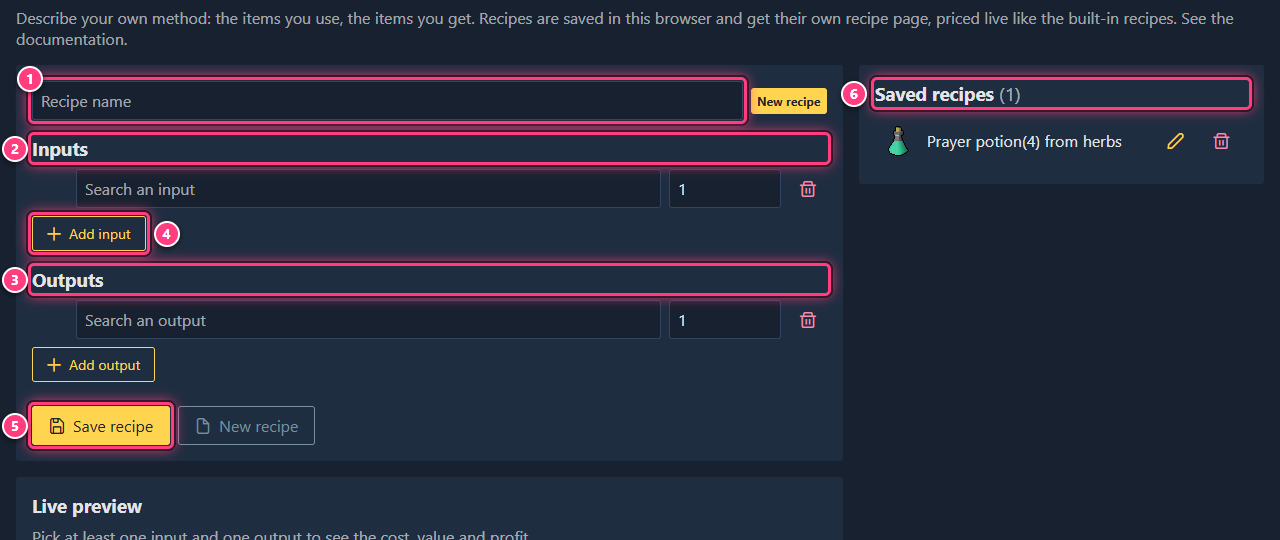
Click the wrench icon (Tools) in the top bar, then Recipe Builder. You can also click Build a custom recipe on the recipes page, or go to prices.osrs.cloud/recipe/builder.
Pick the first input#
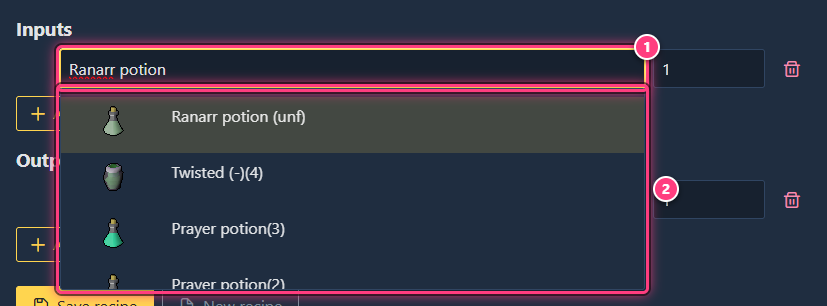
In Inputs, click Search an input and type a few letters of the item, then pick it in the list.
Set its quantity#
Type the quantity in the box next to the item (1 by default): 10, 1.5k... It must be a whole number above 0,
otherwise the box turns red.
Add the other inputs#
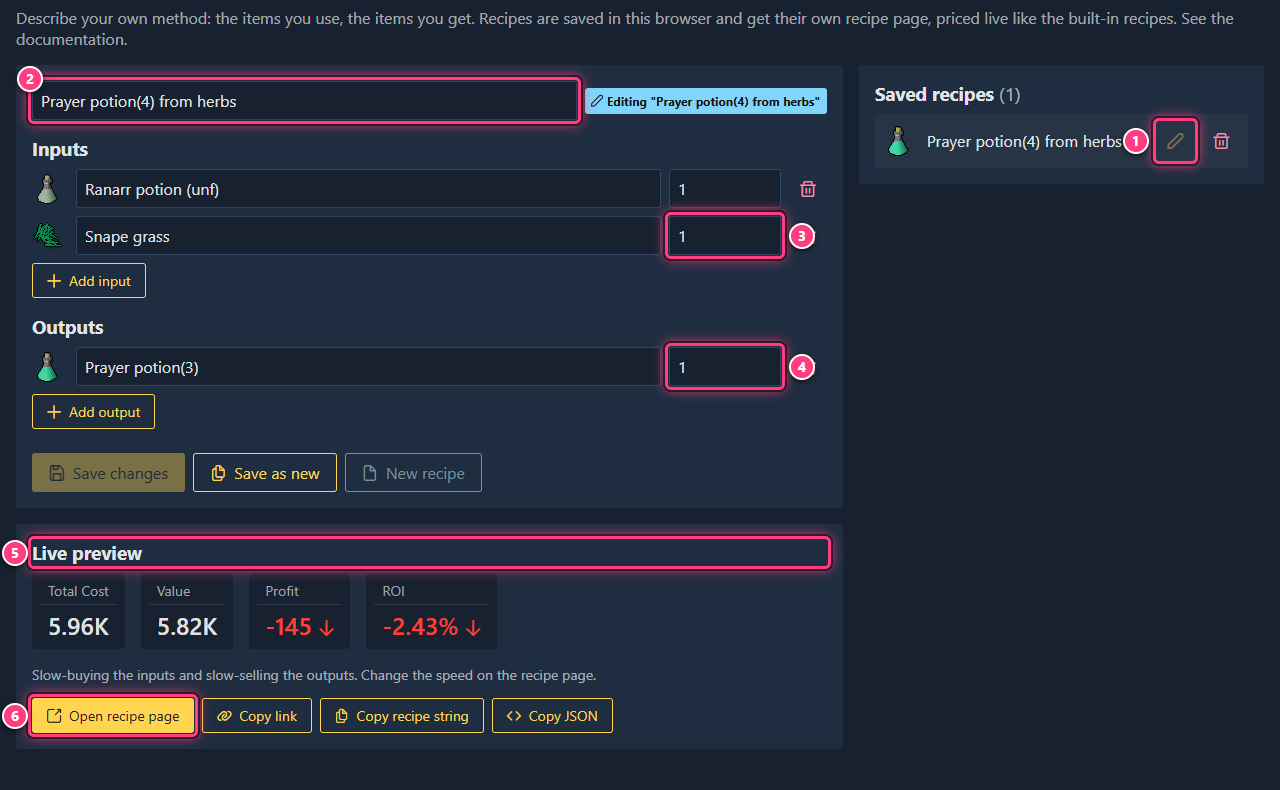
Click Add input for a new row and repeat. For the example: Ranarr potion (unf) x 1 and Snape grass x 1. The bin at the end of a row removes it.
Add the outputs#
Do the same in Outputs: Prayer potion(3) x 1. Use Add output when a recipe makes several items (for example taking an armour set apart).
Check the profit#
As soon as there is an input and an output, the Live preview shows the total cost of the inputs, the value of the outputs, and the profit and ROI after tax (premium).
Name and save it#
Type a name in the name box (or leave it empty to keep the generated Making ... name) and click Save recipe. "Recipe "..." saved" confirms it, and the recipe appears in Saved recipes.
Open its profit page#
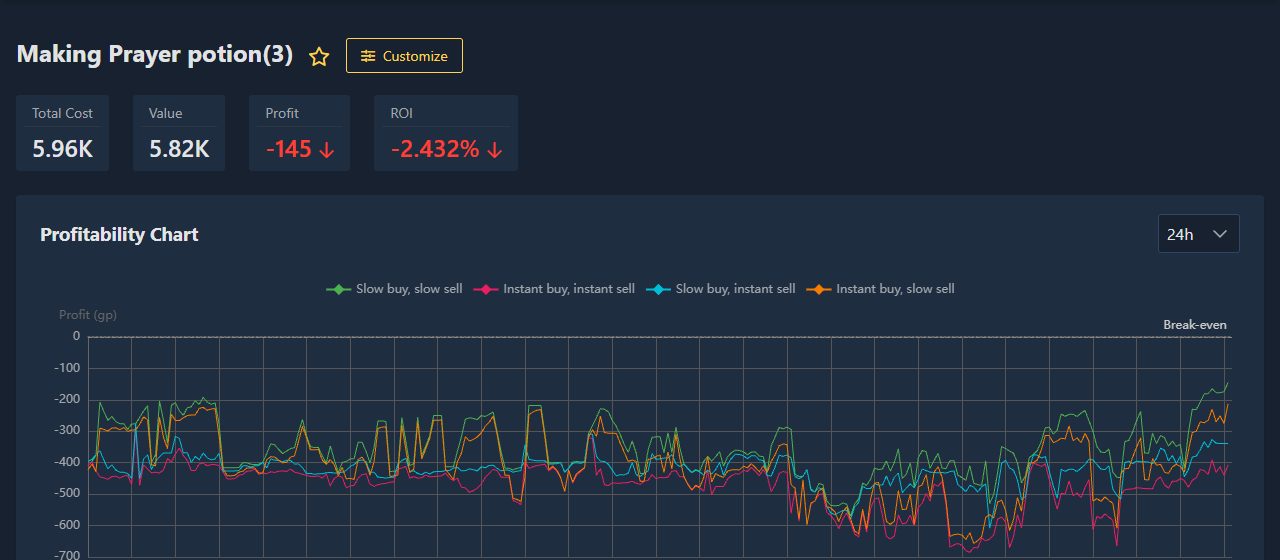
Click Open recipe page, or the recipe's name in Saved recipes. Its details page has the same numbers, the other buying and selling speeds, and a profitability chart over time (premium).
The page address holds the whole recipe, for example /recipe/99x1+231x1=139x1 (item ids and quantities, inputs
then outputs): bookmark it, or send it to another premium member.
Find it again later#
Your recipes are listed in Saved recipes whenever you open the builder in this browser. Premium members also find them in the search bar at the top of the site (after reloading the page), under the name made from their ingredients. They are not listed on the recipes page, which only shows the site's recipes.
Edit it#
Click the pencil (Edit) next to the recipe: its name, inputs and outputs fill the editor. Change what you need and click Save changes: "Recipe "..." updated" confirms it.
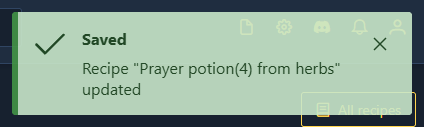
Save as new saves a copy instead and keeps the original. To start from one of the site's recipes, click Customize on its page: it opens in the builder, ready to change and save.
Delete it#
Click the bin (Delete) next to the recipe and confirm with Yes.
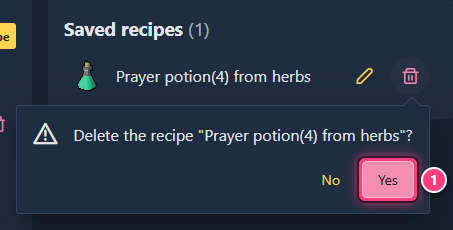
Copy a recipe out#
Under the live preview, three buttons copy the recipe being edited to your clipboard:
- Copy link: the address of the recipe's page;
- Copy recipe string, such as
99x1+231x1=139x1:item id x quantity, joined with+, inputs=outputs. Add it after/recipe/to get the recipe's page; - Copy JSON: name, inputs and outputs, handy to keep or post on the Discord.
Troubleshooting#
"Incomplete recipe". Add at least one input and one output, each with an item.
"Invalid quantity". Quantities must be whole numbers above 0 (1.5 isn't one, 1.5k is).
My recipe is gone. Custom recipes are stored in this browser. Back them up with Export everything in Settings (the regular Export doesn't include them).
The recipe page says "Premium Required". Recipe details need premium; the builder itself doesn't.
Next steps#
- Custom recipe builder and custom recipes: the feature pages.
- Recipe details: every number on the recipe page.
- Recipes: the site's own recipes.