Adding untracked trades
Trades you made on mobile, or with the plugin off, aren't in your history. You can add them from the GE's History screen.
Open the GE History#
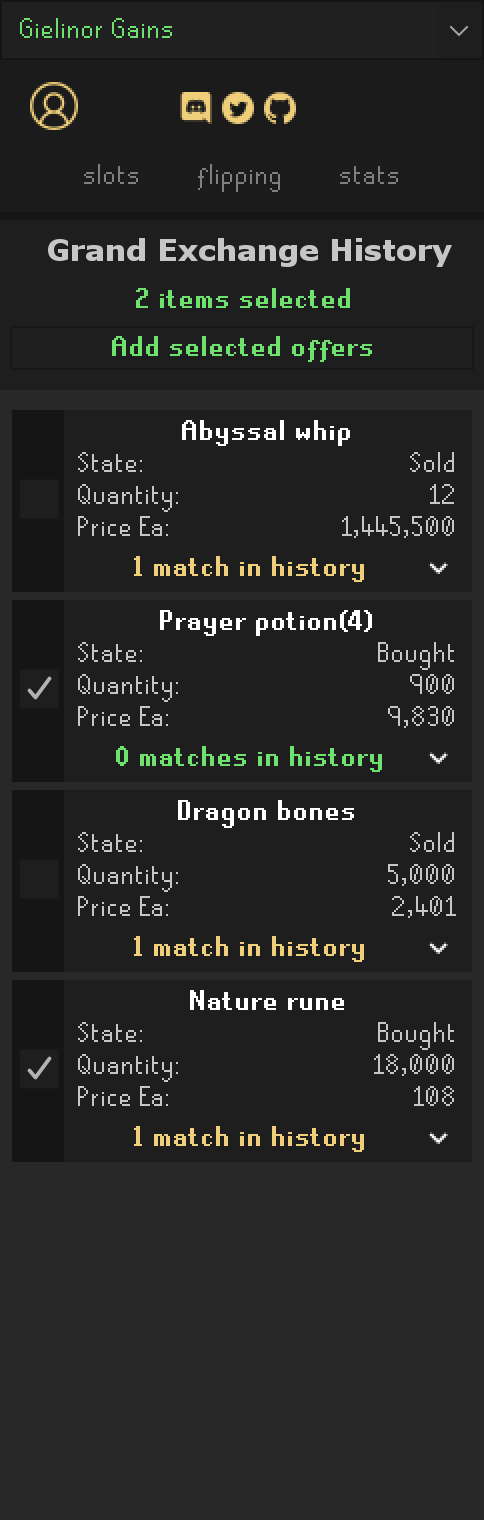
Log into the account the trades belong to and open the GE History screen. The sidebar switches to Grand Exchange History, with a card for each trade in the game's list.
Check what is missing#
Each card says how many offers with the same item, quantity, price and buy/sell are already in your history. 0 matches in history means the trade is not recorded yet. Expand the line to see when the matching offers were made.
Select the trades#
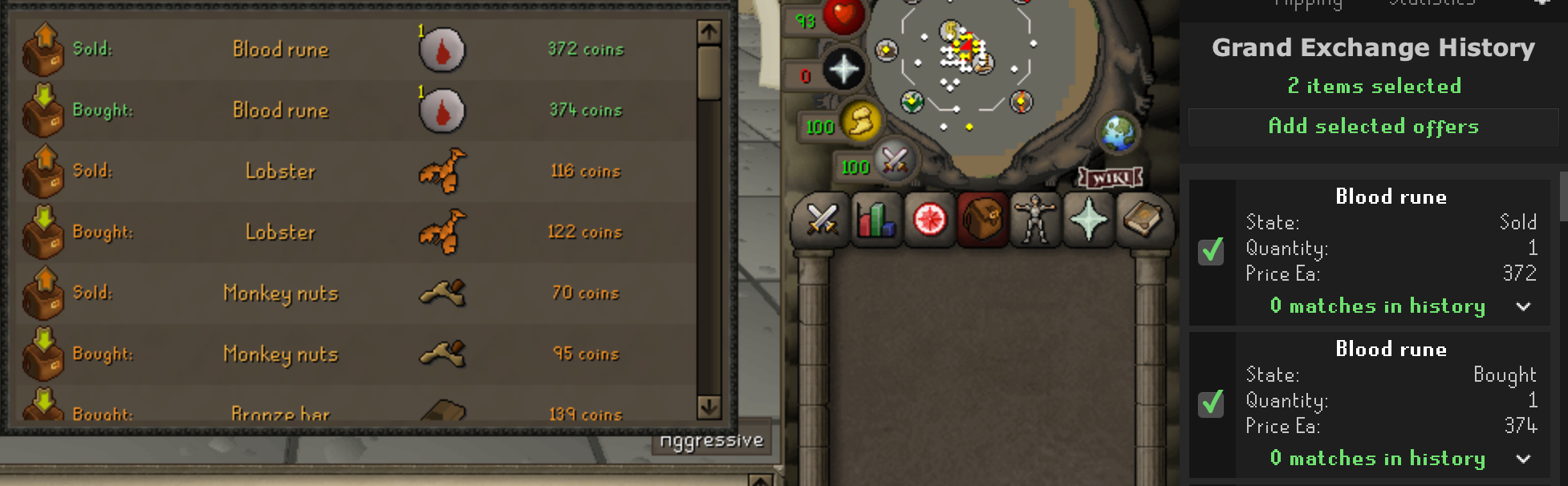
Tick the trades to add. The matching rows are highlighted in the game's list.
Add them#
Click Add selected offers. Added cards turn green.
The sidebar returns to the previous tab when you leave the History screen.
Good to know#
- The GE history doesn't say when a trade happened, so added offers are dated at the moment you add them, and count in the Session and -1h ranges of the stats tab.
- Added offers don't count toward the GE limit timer, and are never treated as margin checks.
- Sell prices on the cards are after GE tax, like everywhere else in the plugin.