Recipe flips
Some flips don't sell the item you bought: you buy a Godsword blade and a Bandos hilt and sell the Bandos godsword, or buy 3-dose potions and sell them decanted to 4-dose. A recipe flip records which offers went into the result, so the profit is counted once, on the recipe, instead of as a loss on the parts and a gain on the product.
The plugin knows the recipes in the Flipping Utilities datasets (item combinations and potion decanting), plus your own custom recipes. These are separate from the recipes on the site.
Recording a recipe flip#
Recipe flips belong to one account: select it in the account selector first (not Accountwide).
Find the offer#
In the stats tab, expand the item you sold (or bought), open View Trade History and find the offer.
Click Recipe Flip +#
Click Recipe Flip + on the offer. The button only appears on completed offers of items that are part of a recipe.
Pick the recipe#
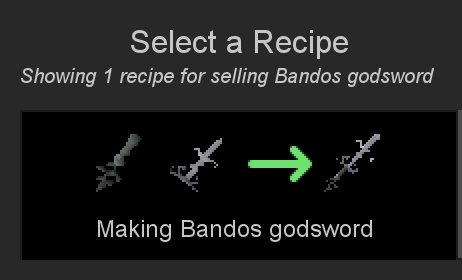
Choose the offers#
Choose how many items of each offer went into the recipe. The pickers start at the amounts that make the most complete recipes; offers already used by other recipe flips are marked. Only completed offers from the stats tab's time range are listed.
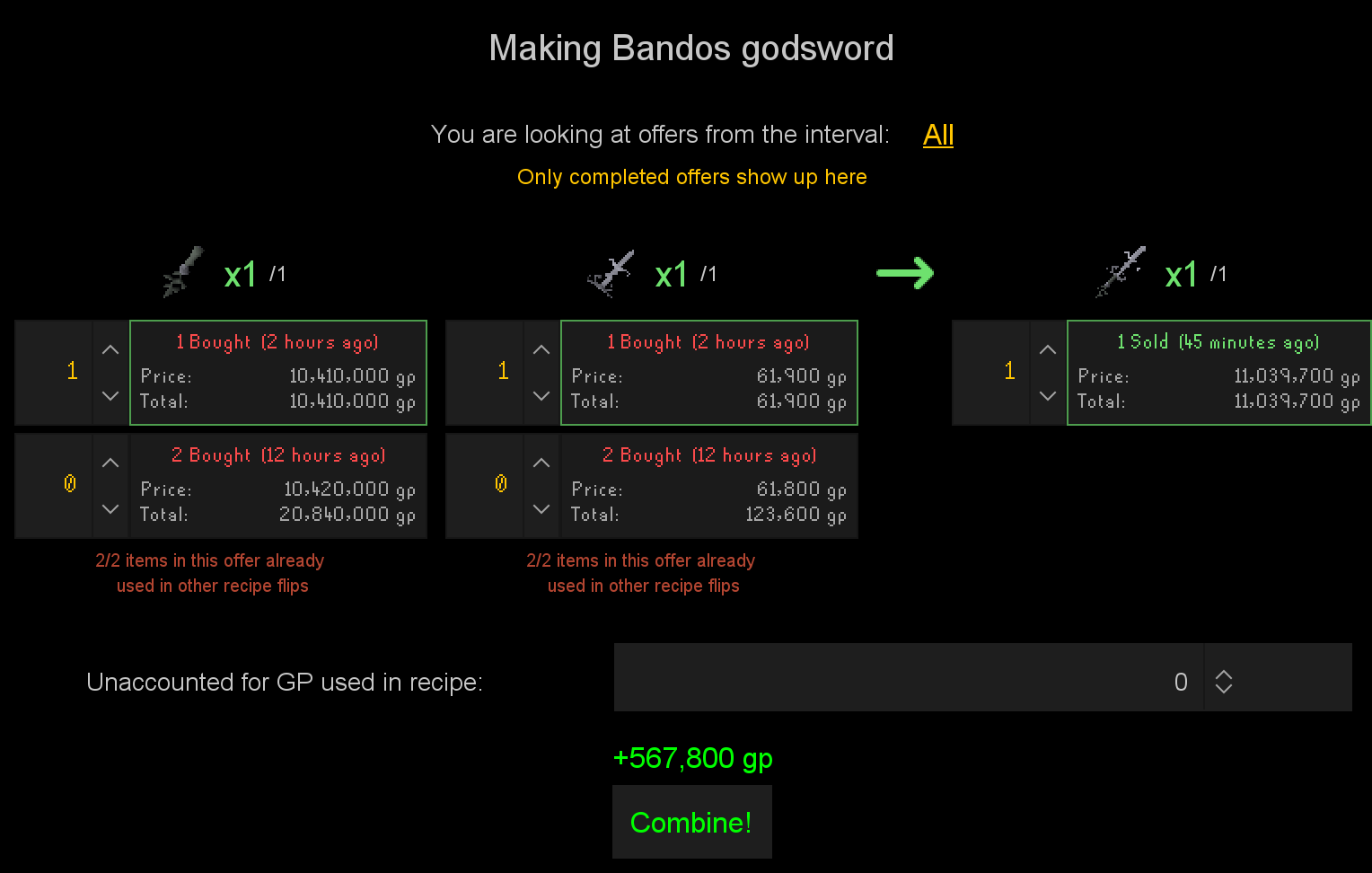
If the recipe cost something that isn't an offer (coins for a fee, for example), enter it in Unaccounted for GP used in recipe. The profit updates as you go.
Combine#
Click Combine! It is enabled once every item has the amount the recipe needs.
The Recipes tab#
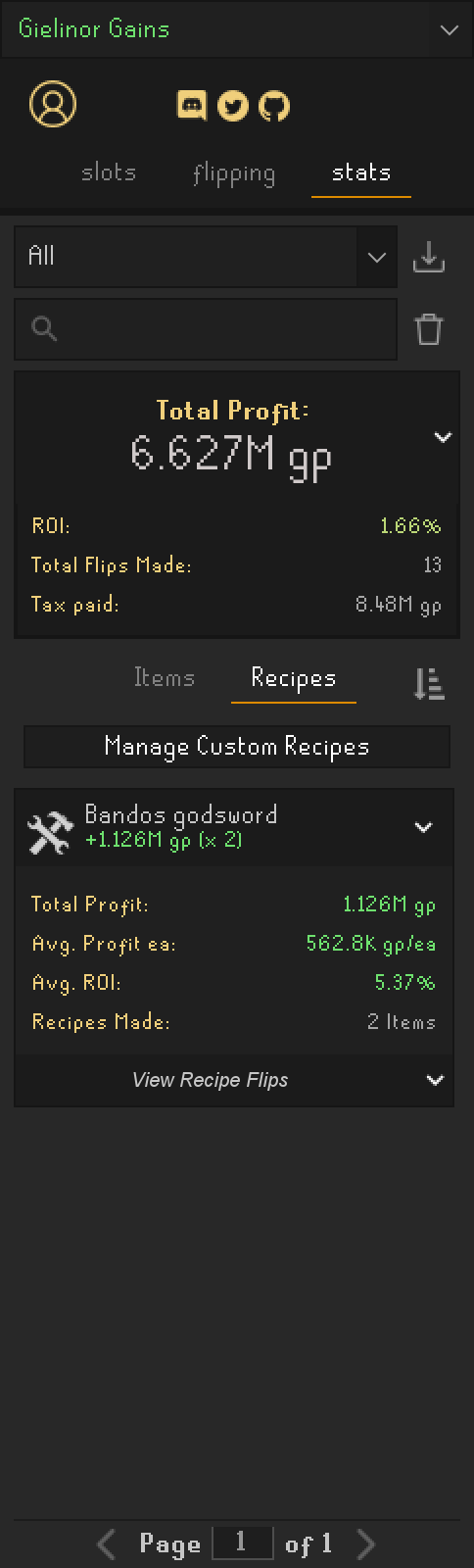
Recipe flips are grouped by recipe in the Recipes sub-tab of the stats tab, with their total profit, average profit each, average ROI and the number made. View Recipe Flips lists each one with its inputs and outputs. The offers used by a recipe flip no longer count in their items' own statistics.
Custom recipes#
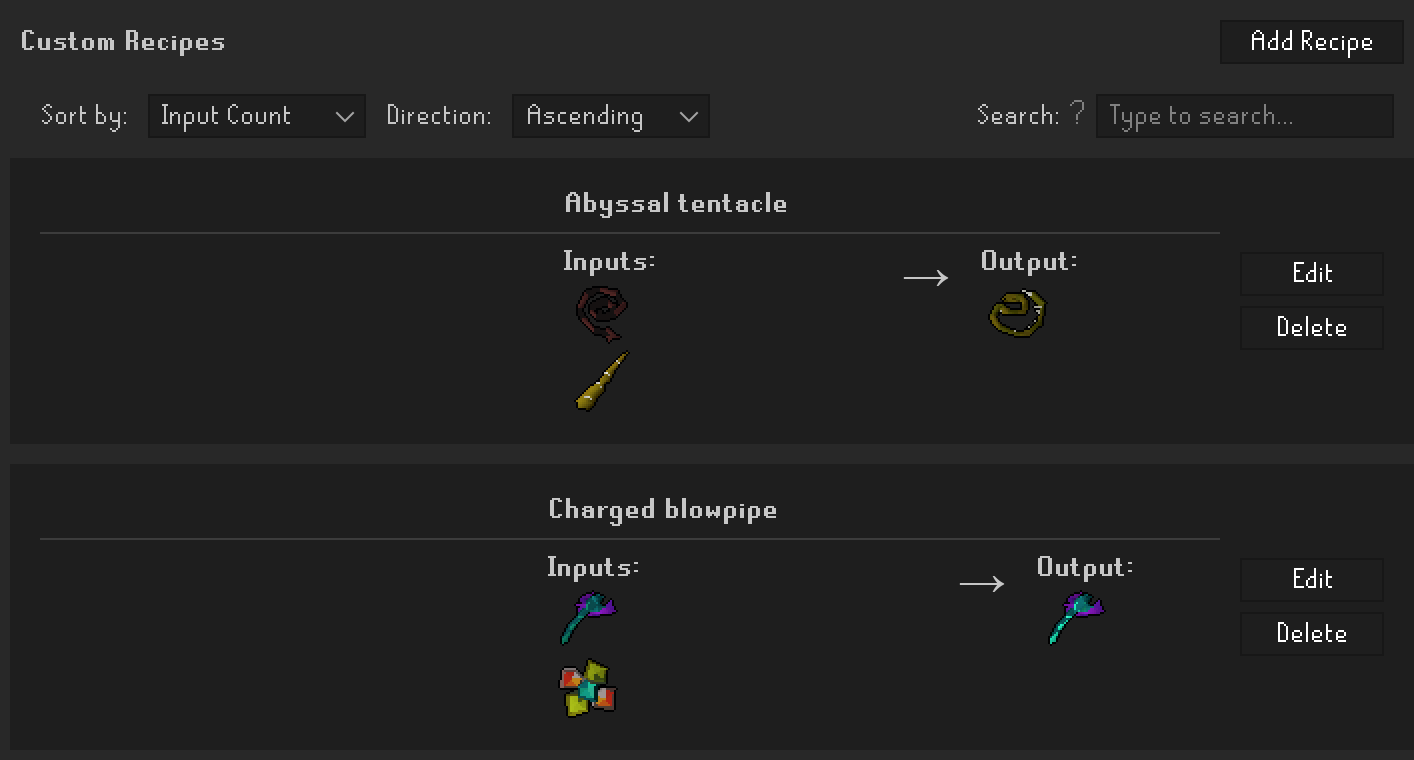
Manage Custom Recipes, at the top of the Recipes tab, opens a window to add recipes the datasets don't have.
- Add Recipe: give it a name, then search items for the Inputs and Outputs (type at least two letters) with their quantities, and Save.
- Edit and Delete change or remove a recipe.
- Sort by and Direction order the list; the defaults are in Settings, with the options to include noted and untradeable items in the item search.
Custom recipes are shared by all your accounts and are available right away in Recipe Flip +. They are not the same as the site's custom recipes.